
Coin Identifier - Coin Finder
Smart AI DEVTools
4.4160.00 Reviews
- Version
- 1.3.9
- Installs
- 100.00K
- Age Rating
- Everyone
Screenshots
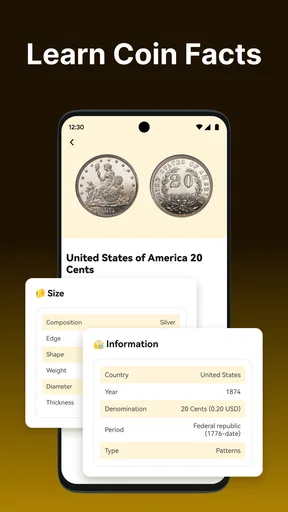
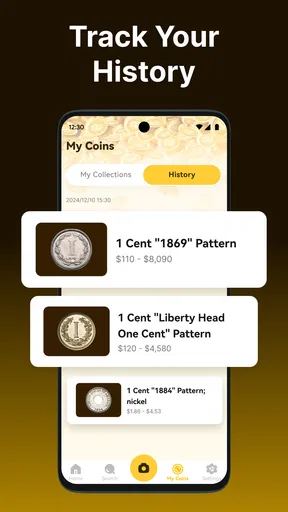
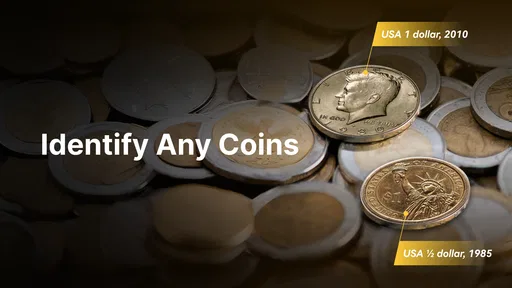

Our Review of Coin Identifier - Coin Finder
 Analysis by Appyee
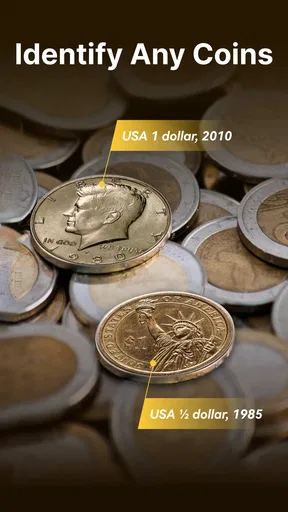
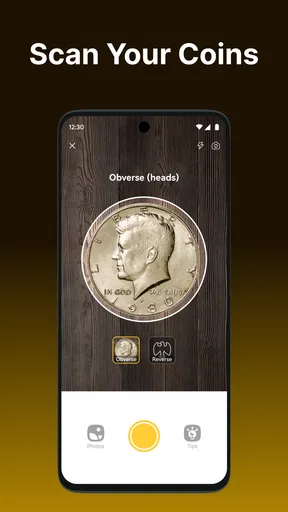
I like coin apps that help me answer a simple question without turning the hobby into a research project. Coin Identifier - Coin Finder takes that approach: it is a free tools app from Smart AI DEV designed to identify coins, scan them, estimate their value, and help organize a collection. In my testing mindset, its appeal is clear for beginners who find an unfamiliar coin in a drawer, at a market, or inside an inherited collection and want a quick starting point.
That convenience also needs a little perspective. A camera-based identifier can be useful for narrowing down a coin, but it should not be treated as the final authority for a valuable or rare piece. Condition, mint marks, date details, errors, metal content, and local market demand can change a coin’s worth dramatically. I found the app most useful as a first pass: it helps me decide what deserves closer inspection, rather than replacing a specialist catalogue or professional appraisal.
Where the useful workflow can get stuck
The first obstacle is usually not the coin itself but the photograph. A reflective surface, soft focus, a dark room, or a busy background can make identification less reliable. Coins are small, and details such as lettering, mint marks, and tiny design differences matter. If the image does not show those details clearly, the app has less to work with.
I would begin with one coin at a time on a plain surface. Place it flat, keep the phone steady, and make sure the entire face is visible. Then repeat the process for the reverse side. Even when a front image looks obvious, the back can reveal the country, denomination, date, or design variation that separates one issue from another.
The most important practical habit is to treat the scan as an identification suggestion, not a certificate of authenticity or value. This matters especially when the result looks surprisingly expensive. A digital estimate can help prioritize your research, but it should not be the reason to sell, clean, or alter the coin.
Another point of friction is expectation. Someone looking for an instant answer about every obscure token, damaged coin, or commemorative piece may find the experience uneven. A standard circulation coin with readable text is a much easier subject than a worn object with missing lettering. That is not necessarily a flaw in the app; it is a limitation shared by image recognition tools.
Start with the coin, not the collection
When I review a collection, I prefer a small, controlled workflow. I select a few coins that are clean enough to photograph without handling them repeatedly, identify them individually, and record the results before moving to the next group. This avoids mixing similar coins and makes it easier to notice when an answer does not fit the physical object.
A useful trick is to compare the result with what is visibly printed on the coin. If the app suggests a country or denomination that conflicts with the readable text, I would scan again under better light rather than accepting the result. If the second result still conflicts, I would use the app only as a clue and verify the coin through a trusted reference.
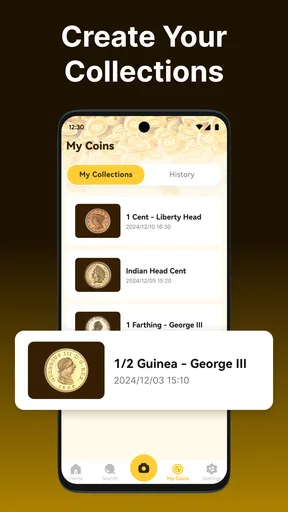
For collectors, organization can be more valuable than the first identification. The collection-management side makes more sense when I add coins consistently, using the same naming style and keeping notes that distinguish similar pieces. A rushed entry can create confusion later, especially when several coins share a date or appearance.
What to check before blaming the app
Because this is a camera-led tool, the phone’s basic condition has a direct effect on the experience. Before trying repeated scans, I would check that the lens is clean, the coin is within the camera’s focus range, and the room has enough even light. A bright overhead lamp can create a harsh reflection, so indirect daylight or a softer light source is often easier to work with.
The app runs on devices using Android 8.0 or later, so an older phone should be checked before installation. The current version is 1.3.9, and keeping the app current is a sensible first step when a feature behaves unexpectedly. I would also close other camera-heavy apps, reopen the identifier, and try a fresh image rather than repeatedly submitting the same blurred photo.
If the app opens but a scan does not behave as expected, I would work through the basics in order: restart the app, retake the image, test another coin, and then restart the phone if necessary. This sequence helps separate a problem with one difficult object from a wider issue with the device or session.
It is also worth checking the coin’s position. A tilted coin may introduce glare and distort the shape, while a hand covering part of the rim can hide useful clues. I prefer placing the coin on a neutral surface and leaving a little space around it, so the camera can distinguish the object from its surroundings.
Recovering a collection workflow after a weak result
When a scan produces an answer that feels wrong, the best recovery is not to keep tapping until one result looks attractive. I would first save the physical clues: country, denomination, visible date, lettering, unusual marks, and whether the coin appears worn or damaged. Then I would retake the image with the opposite side included in a separate scan.
This two-pass method is useful because it turns a vague result into a comparison exercise. If both sides point toward the same coin, confidence improves. If they disagree, that disagreement is valuable information: the coin may be too worn, the image may be poor, or the object may not fit the app’s strongest recognition cases.
For a larger collection, I would avoid scanning everything in one sitting. Short batches reduce careless entries and make it easier to spot duplicates. After each batch, I would review the saved items and correct obvious mismatches while the coins are still in front of me. That is more efficient than trying to reconstruct the order later from a pile of similar pieces.
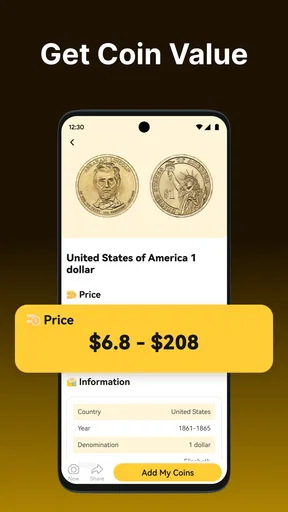
Value estimates deserve their own recovery step. If a number seems high, I would photograph the coin again, inspect its condition, and compare the identification with an independent numismatic reference. A coin’s grade is not just a visual impression of whether it looks old; small scratches, cleaning, wear, luster, and authenticity can all matter. The app can help me decide what to investigate, but it cannot remove the need for that investigation.
Cleaning is another area where patience matters. I would never polish or chemically clean a coin simply because the scan is uncertain or the estimated value is low. Cleaning can permanently change the surface and make later evaluation harder. The safer workflow is to preserve the coin as found, improve the photograph, and verify the identity through another source.
When the problem is probably outside the app
Some failures have little to do with recognition. If the phone camera is struggling in other apps too, the issue may be the device rather than Coin Identifier - Coin Finder. Likewise, if only one heavily worn coin produces a poor result while clearer coins work normally, the object itself is the more likely explanation.
Network conditions can also affect tools that process images or retrieve information. If a scan remains stuck while other online services are also slow, I would test again on a more stable connection before changing the phone or assuming the collection feature is broken. A simple restart of the app after connectivity returns may be enough.
Storage and organization problems can be separate from identification. If the scan works but the collection feels incomplete, I would check whether I actually finished saving the item rather than assuming every recognized coin was automatically recorded. I would also use a consistent naming pattern and review entries immediately after adding them.
There is a useful distinction between “the app cannot identify this coin” and “the app identified it but the value feels wrong.” The first points toward image quality, rarity, wear, or recognition limits. The second calls for independent price research, because market value is more complicated than matching a picture to a name.
Free access, optional spending, and the right audience
The app is free to install and is rated for Everyone, which makes it approachable for casual users and families exploring a small collection together. It includes in-app purchases priced from $4.99 to $49.99 per item, so I would review any upgrade or purchase screen carefully before confirming anything. For occasional identification, I would start with the free experience and decide only after understanding how often I actually use the tool.
The app has reached over 100 thousand installs and holds a 4.4 average from around 2.4 thousand ratings, with about 160 written reviews. Those figures suggest a real audience and a generally positive reception, but they do not guarantee that every coin type or phone will produce the same experience. A beginner with common coins may find it immediately helpful, while an advanced collector may need more specialized resources.
I would recommend it to someone who inherited a mixed box of coins, wants a quick way to sort a travel collection, or needs help creating a starting inventory. It is also useful for deciding which pieces deserve closer research. The scan can reduce the time spent manually searching through broad lists when the coin’s appearance is unfamiliar.
I would skip it as a primary tool if my goal were formal valuation, authentication, investment decisions, or detailed grading. In those situations, a specialist catalogue, auction history, experienced collector, or professional appraiser is a better fit. The app can sit at the beginning of that process, but it should not be the final step.
A realistic home scenario
Imagine finding a small box of coins while clearing a relative’s desk. I would first separate obvious foreign coins from tokens and damaged pieces, then photograph the clearer examples individually. For each result, I would record the suggested identity and compare it with the visible country, denomination, and date.
Suppose one coin receives a result that does not match its lettering. I would not discard it or assume the app failed completely. I would clean the camera lens, move the coin into softer light, capture both sides again, and compare the new result with a reference source. If the mismatch remained, I would place that coin in a “needs research” group rather than forcing it into the collection under a wrong name.
After sorting, I would use the collection tools for the coins I could identify with reasonable confidence. I would keep the uncertain pieces separate and avoid assigning a value based only on the scan. This workflow gives the app a useful role without allowing one incorrect recognition to contaminate the whole inventory.
How it compares with the usual alternatives
The usual alternative is manual searching: identify the country, read the date, browse images, and compare design details. That method can be more dependable when I already know what clues to look for, but it takes longer and can be frustrating with unfamiliar scripts or similar designs. Coin Identifier - Coin Finder is faster at producing a starting point, especially for a mixed group.
A general camera search tool may also recognize text or broad objects, but it is not built around maintaining a coin collection or thinking in terms of numismatic details. A dedicated catalogue offers deeper reference material and often better control for serious research, yet it demands more effort from the user. I see this app between those two options: more focused than a general visual search, but less authoritative than a specialist reference.
The trade-off is convenience versus verification. The app reduces the first barrier, while manual research remains necessary for unusual, worn, altered, or potentially valuable coins. That balance is acceptable to me as long as I use it as an assistant rather than an appraiser.
My practical verdict
Coin Identifier - Coin Finder is a sensible first tool for everyday coin discovery. Its combination of scanning, identification, value guidance, and collection organization gives beginners a clear path from “What is this?” to “Should I research this further?” The developer is Smart AI DEV, and the app is available for Android devices from version 8.0 onward.
My strongest recommendation is to build a careful photo routine before judging the results. Use even light, show both sides, keep the lens clean, and verify anything that seems unusual or valuable. If a result conflicts with visible details, save it as uncertain and investigate rather than repeatedly forcing a match.
For casual collectors, families, and people sorting inherited coins, I think it is worth trying because it can turn an intimidating pile into a manageable starting inventory. For experienced collectors who need precise grading or defensible market values, it is better used as a quick screening layer alongside specialist references.
In short, Coin Identifier - Coin Finder earns its place on my phone when I want speed and organization, provided I keep my expectations realistic. Its best contribution is not promising certainty; it is helping me decide what to examine next, what to record, and which coins deserve a more careful second opinion.
Verdict
Strengths of Coin Identifier - Coin Finder
- Identifies many common coins from a quick camera scan.
- Useful for beginners learning coin names and countries.
- Simple interface makes searches easy to start.
- Can help organize basic coin-collecting discoveries.
- Convenient reference when browsing coins away from home.
Limitations of Coin Identifier - Coin Finder
- Recognition may fail with worn, dirty, or poorly lit coins.
- Estimated values should not replace advice from a professional dealer.
- Rare or regional coins may be missing from the database.
- Some features may require an internet connection or subscription.
- Camera scans can produce inaccurate results from unusual angles.
Other Releases by Smart AI DEV
View All
AI Photo Video Maker, Enhancer
Photography4.7

AI Home Design: Interior DecAI
Art & Design4.6

AI Photo Editor - BgMaster™
Photography4.6

Logo Maker - AI Art Design
Art & Design4.4
Similar Picks in This Category
View All
Google LLC4.0

Gboard - the Google Keyboard
Google LLC4.5

Google Play services
Google LLC4.3

Google Play Store
Google LLC4.9

Files by Google
Google LLC4.5

SHAREit: Transfer, Share Files
Smart Media4U Technology Pte.Ltd.4.3
Frequently Asked Questions
What is Coin Identifier - Coin Finder used for?
Coin Identifier - Coin Finder is designed to help users recognize and learn about coins using a smartphone camera. After taking or uploading a photo, the app may provide information such as the coin’s country, denomination, year, design, and estimated market value. It is especially useful for beginners, casual collectors, or anyone who has found an unfamiliar coin and wants quick background information.
How accurate is Coin Identifier - Coin Finder when identifying coins?
The app can be helpful for recognizing common coins, but its results should not be treated as guaranteed. Accuracy depends on image quality, lighting, camera focus, the coin’s condition, and how clearly its lettering and symbols are visible. Rare, damaged, counterfeit, or unusual coins may be misidentified, so important details should be confirmed through a professional numismatist or trusted reference source.
Can Coin Identifier - Coin Finder determine the exact value of a coin?
Coin Identifier - Coin Finder may display an estimated value or market range, but this information should be considered a general guide rather than a formal appraisal. A coin’s actual price can vary significantly according to rarity, grading, authenticity, demand, mint errors, and current market conditions. Before selling an expensive coin, compare auction results and seek an evaluation from a qualified dealer.
What kind of photo produces the best identification results?
For the most reliable results, place the coin on a plain, contrasting surface and photograph it in bright, even lighting without reflections or shadows. Keep the camera steady and make sure the entire coin is in focus. Taking separate images of both the front and back can improve recognition. Avoid heavily editing the image, and do not clean valuable coins before photographing them, as cleaning can reduce their collectible value.
Does Coin Identifier - Coin Finder require internet access or include paid features?
Some identification tools can work only when connected to the internet because images are processed through online databases or cloud-based recognition services. Availability of features may also depend on the app version, device, and subscription plan. Before downloading, review the current store listing for internet requirements, advertising, trial terms, and in-app purchases so you understand which identification tools and valuation details are available for free.
